
Host a Game!
The heart of our club is the generosity of our hosts. We encourage all members to share their passion by hosting a game, from grand-scale miniature battles to immersive tabletop adventures. Hosts typically provide the miniatures, terrain, and materials needed to bring their specific scenario to life. To show our appreciation for your contribution to the community, hosting earns you an extra entry into the prize draw along with some concession vouchers.
Games are tracked and scheduled using a web tool called CON-GREgATe kindly provided by Gildor Games. To register your game, you can either:
- Set up an account and self-register (preferred, saves admin work)
- Or if you need help entering your game, email the Event Coordinator
For Friday Game Night events, tables are on a first come first serve basis. Please be aware that some tables are reserved ahead of time and not available for open play.
1. Self-Register (Preferred)
The first time registering is a two step process, first create your account then add your game.
Important
Avoid the common mistake: Do not enter your game details into the account creation fields. If you do, the system will unfortunately name your personal account after your game (e.g., your username will literally be “Battle of Waterloo”).One Time Set Up: Create an account at CON-GREgATe either using Login via Google or register with an email address.
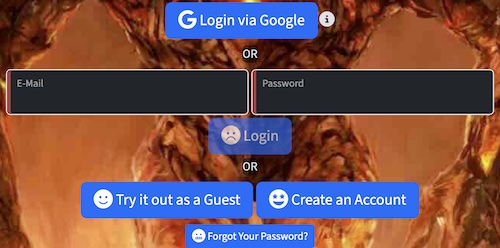
- Register your game: Once registered, go to the latest Trumpeter collection (aka organisation) at CON-GREgATe and find the event you want to register for, usually there’s only one.
- Click the REGISTER AS A HOST button. This will open a form where you can enter information about yourself.
- Name: Your name
- Info/Bio: An optional bio
- Notes for Organizers - Optional: Any notes you want the organizers to see.
Once register as a host, you should see a ADD GAME button to register your game.
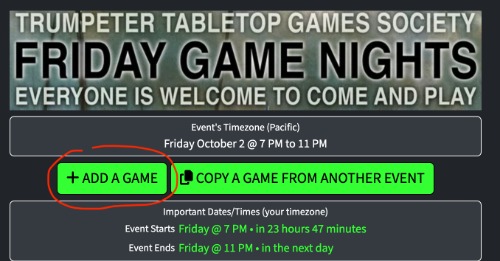
- Game Type: Set the game type, either Miniatures, Board Games or Roleplaying Game.
- Game Rules: This is your game’s ruleset, not the name of your game! E.g.: Chain of Command, Battletech
- Game Name: The name of your game or scenario. E.g.: Battle of Sainte-Foy
- Info/Description: Enter a brief blurb about your game, such as the scenario, any spare slots for walk ups and expected player experience.
- Genre: Pick the appropriate genre, either Historical or Sci-Fi/Fantasy
- Scale Pick the scale if applicable.
- Table Size Pick a desired minimum table size to support your game.
- Minimum/Maximum Players: Set these to the appropriate values. For games with a fixed number of players, leave the minimum as 0.
- Game Duration: There’s usually only one option, leave it as it is.
- More Info URL - Optional: If you have additional information you want to link to for your game, you can provide it here.
- Notes for Organizers - Optional: Any notes you want the organizers to see.
Add the game and it will show up in the registration.
2. Email
If you are unsure about using the online tool, you can email the Event Coordinator with the following details:
- Game Rules
- Game Title
- Host Name
- Scale
- Number of Players
- Required Table Size (3x6, 6x6, 6x9 or 6x12)
- Scenario
The following link will prepare an email with a suitable message body events@trumpetersociety.com .